Geometry Dash
All trademarks belong to their respective owners.
Dive into Geometry Dash and Its Unique Gameplay
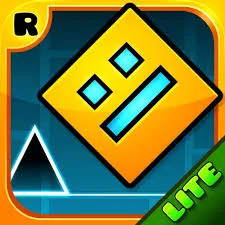
Geometry Dash is a platformer that masterfully blends rhythm-based gameplay with dynamic action, set against the backdrop of a creative global community.
The RobTop Games Story & Community
Geometry Dash was developed by RobTop Games and first launched in 2013. Since then, this game has continually grown, thanks in large part to the vibrant contributions of its worldwide player base.
Signature Rhythm Platformer & Gameplay
As a rhythm-infused action platformer, Geometry Dash challenges you to control a symbol navigating a gauntlet of obstacles all with a single tap or click. Its accessible mechanics pave the way for deceptively tough gameplay that tests both skill and timing.
Digital Artistry & the Geometry Dash Level Editor
Geometry Dash stands out with its crisp neon vector graphics, dynamic color effects, and a robust level editor. This combination opens up a lively digital art space for those passionate about creativity and design.
Geometry Dash Gameplay & Skill Challenges
One-Touch Controls & Lightning Reflexes
-
Jump: Tap / Left Click / Spacebar
-
Hold: keep jumping/flying in ship/UFO sections
-
Release: drop (in flying sections)
-
Pause: Esc (PC) / Pause button (mobile/UI)
Synchronized Music-Rhythm Action
A core strength of Geometry Dash lies in its seamless synchronization between music and gameplay. Every jump, transformation, or obstacle you overcome aligns perfectly with the soundtrack, creating an immersive and satisfying rhythm-based experience.
Extreme Demon Mode & Transforming Icons
Your character is more than just a square it can morph into a ship (for flying sections), a ball (reverses gravity), a wave (zig-zags), UFO, robot, spider, and more. A range of modes and difficulty levels from Easy, Hard, Insane, and Demon, up to Extreme Demon means every player can find their optimal challenge.
New Player Guide & Top Tips for Mastering Geometry Dash
Practice Mode: Sharpen Your Skills
Practice Mode is your essential tool for improvement. It allows you to set checkpoints and break a level into segments for targeted practice, helping you conquer difficult parts before taking on the full level.
Pro Tips: Using Music & Low Detail Mode
A key tip is to always play with the sound on, letting you sync every jump to the music and nail perfect timing. If you experience lag due to graphic effects, switch to Low Detail Mode for smoother gameplay.
Icon Kit: Personalize Your Geometry Dash Character
The icon kit system lets you customize your character’s shape and color, making your icon uniquely yours. This not only expresses your style but also acts as a reward system, motivating you to overcome challenges and unlock even more creative options.
Community Creativity & Digital Art in Geometry Dash
Level Editor: Build, Create, and Share
The Level Editor is a standout feature in Geometry Dash, empowering players to design custom levels, craft unique effects and animations, and contribute to a diverse and ever-expanding library of content.
Newgrounds Music & Indie Artist Collaboration
Geometry Dash’s soundtrack is integrated with Newgrounds, offering a wide range of tracks and supporting indie artists from around the globe.
Vector Art: Perfect for Video Edits and Handmade Creations
The game’s sleek vector graphics, compelling aesthetics, and rhythm-driven momentum are perfect for practicing visual-audio sync editing, as well as inspiring handmade creations like stickers, keychains, tote bags, or digital graphic design concepts.
Conclusion
Geometry Dash delivers the ultimate test in reflexes and rhythm, while opening up a rich digital art world where you can explore, create, and leave your mark. It’s the ideal blend for both casual gamers and anyone passionate about digital creativity.